
November 6, 2026 - Web Development
Digital ChordsADA Website Compliance for Ecommerce Stores: The WCAG 2.2 AA Fixes to Prioritize First
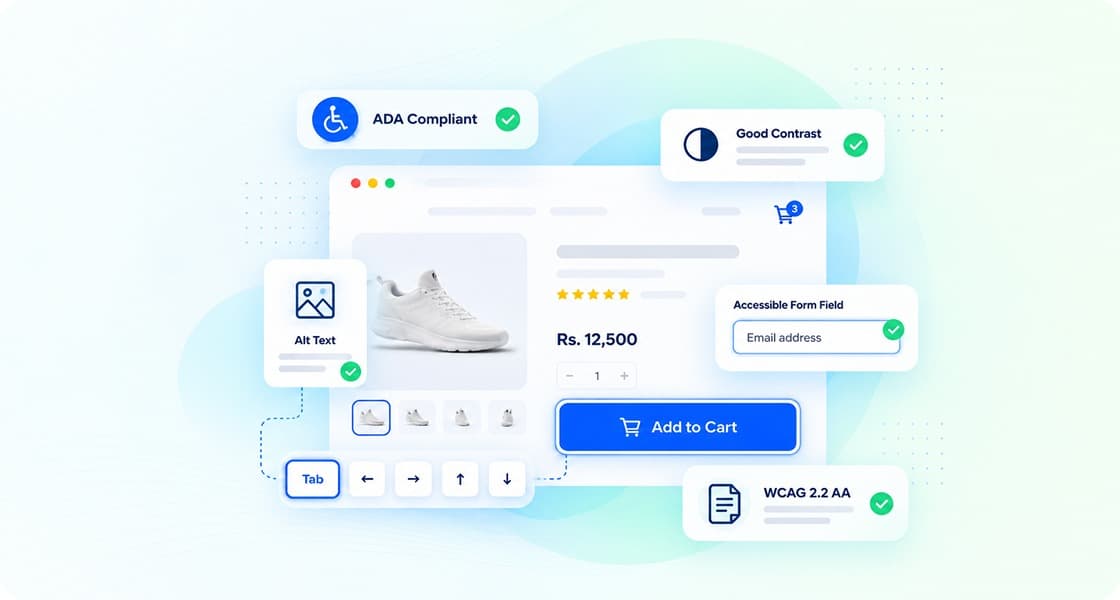
All potential customers should be able to browse products, compare alternatives, add to a shopping cart and purchase products on an ecommerce website. The ADA, as a civil rights law, addresses access and does not mandate a specific technical standard for private ecommerce websites. The US Department of Justice (DOJ) has offered guidance on websites and ADA compliance. Courts have cited the Web Content Accessibility Guidelines (WCAG) to analyze disputes concerning websites.
For ecommerce store owners, there are legal implications for ADA compliance and, in the absence of protection, it serves as a risk management concern. Poor design and development choices can easily make online shopping inaccessible for persons with disabilities. Xcentric Services helps businesses design, develop, and improve ecommerce websites and address ADA website compliance as a part of those services.
Is the ADA Website Compliance Mandate for Ecommerce Websites?
Yes, ADA Title III can apply to ecommerce websites, but the legal analysis will depend on the business in question and the specifics of the case. The DOJ's March 2022 guidance addressed website accessibility for businesses open to the public. The DOJ, however, has not issued a Title III regulation mandating WCAG 2.1 or a particular version of WCAG to all ecommerce websites.
Businesses should not interpret the lack of a specific federal technical regulation as a website exemption. The DOJ's web accessibility rule issued in April 2024 sets a technical standard for certain state and local government websites and mobile applications to which Title II applies. It does not set a technical standard for private sector web sites. Further, an interim final rule issued in April 2026 extends compliance dates for state and local governments. The revised compliance dates are April 26, 2027, for state and local governments serving populations of 50,000 or more, and April 26, 2028, for smaller governments and special district governments.
A reasonable approach for retailers would be to see ADA website compliance as an evolving accessibility goal rather than as a one-time legal gate. If you receive a demand letter or a lawsuit, contact your attorney rather than rely on a developer's report as legal advice.
What is Website Accessibility and What Does WCAG 2.2 AA Mean?
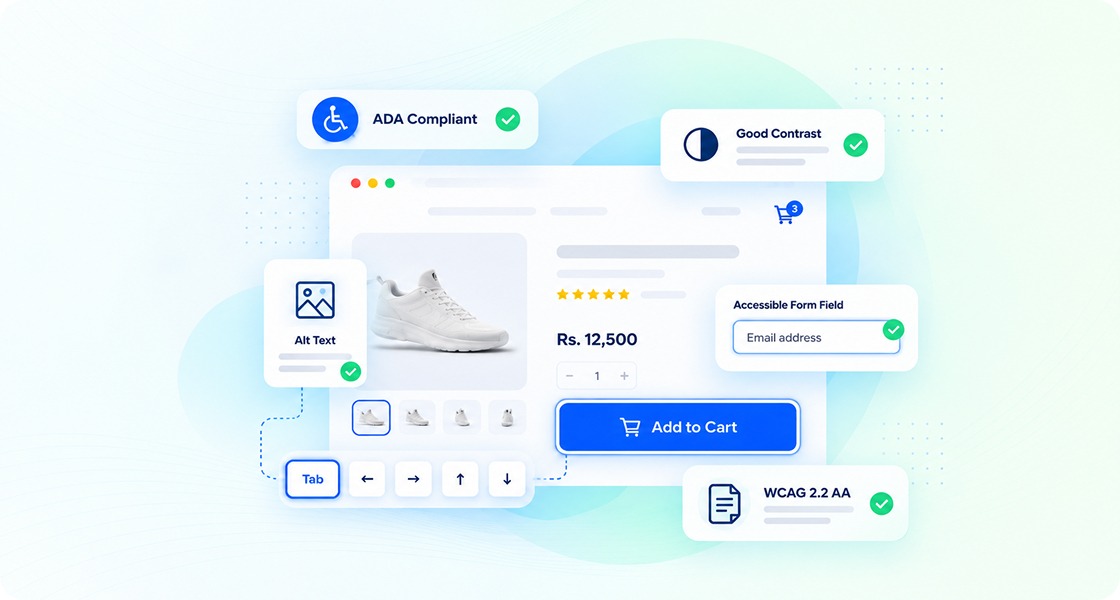
Website accessibility means making your website so people with different types of disabilities can perceive, understand, navigate, and use the content and function of your website. WCAG 2.2 AA is an actionable technical standard that combines Level A and Level AA success criteria.
Principle | What it Means | Example |
Perceivable | Information must be available to the user through one or more of the user's senses | There are text alternatives for product images and prices that have sufficient contrast |
Operable | The user must be able to operate the user interface | Menus and filters operate with a keyboard, and the checkout process is operable with a keyboard |
Understandable | Content must be understandable | Errors are communicated, and form fields are labeled. Required fields are identified |
Robust | Content must be robust enough to work with various user agents, including assistive technologies. | Buttons and other form controls are labeled, and their state is exposed to assistive technology. |
There are three levels of conformance for WCAG. Level A addresses the most important barriers. Level AA includes additional requirements for common barriers. Level AAA includes more stringent requirements that may not be able to be met for all types of content.
W3C recommends WCAG 2.2 as the next major version. It includes nine additional success criteria as compared to WCAG 2.1 and three additional Level AA Success criteria, including 2.4.11 Focus Not Obscured, 2.5.7 Dragging Movements, and 2.5.8 Target Size. Additionally, 3.3.8 Accessible Authentication is Level AA.
WCAG 2.2 AA is the recommendation for private ecommerce websites, not a Title III regulation of the ADA as expressed by the DOJ.
ADA Compliance Website Checklist: Which Ecommerce Accessibility Fixes Should Come First?
There are a number of website accessibility barriers that make it difficult for people with disabilities to purchase products online. There are some barriers that completely prevent customers from being able to find and purchase products. Other barriers make it difficult for customers to understand product information and controls. It is critical that barriers that completely prevent customers from purchasing products are removed first. After that, barriers that prevent customers from understanding product information and controls should be removed. Finally, the barriers that affect infrequently used website content should be removed.
The following chart should be useful to ecommerce teams. Xcentric’s proposed workflow is used to generate the effort estimates, which are provided as a planning guideline.
Rank | Accessibility issue | Where it appears | WCAG criterion | Typical fix |
1 | Unlabeled form fields | Account creation, checkout forms, search form | 1.3.1 & 3.3.2 | Programmatically associate labels and instructions |
2 | Checkout errors are unclear | All error forms | 3.3.1 & 3.3.3 | State and suggest correction of errors |
3 | Product images lack useful alt text | Product pages and image galleries | 1.1.1 | Thoughtfully write alt text to describe product features that are not mentioned nearby |
4 | Insufficient text and button contrast | Price and sale labels, CTA buttons | 1.4.3 | Increase text and background color contrast |
5 | Keyboard inoperable filters and sorting | Collection and search pages | 2.1.1 & 4.1.2 | Make filter and sort controls operable by keyboard and expose their statuses |
6 | Menus and modal windows trap keyboard | Mega-menus, size guides & pop-ups | 2.1.2 | Handle focus and make modal elements dismissable |
7 | Focus is hidden or covered | Navigation, checkout & dialogs | 2.4.11 & 2.4.7 | Uncover focus and make it visible |
8 | Carousels rotate automatically | Home page & banners | 2.2.2 | Add pause controls and provide motion behavior |
9 | Login relies on inaccessible authentication | Account creation & verification | 3.3.8 | Don’t use cognitive tests, and provide support for accessible authentication |
10 | Touch targets are small and/or crowded | Mobile menu & quantity controls | 2.5.8 | Increase size and/or spacing of touch targets |
11 | Interaction is done with dragging only | Image galleries, sliders & product configurators | 2.5.7 | Make an equivalent single-pointer alternative available, if possible |
12 | Inaccessible size and PDF guides | Product downloads, measurement charts | 1.1.1 | Create accessible PDFs or equivalent information in HTML |
Beyond the suggestions listed above, a store should also fix problems related to inaccessible heading and link semantics, product variant selection, and updates to the shopping cart. Some template-specific accessibility problems occur repeatedly on multiple pages. In some cases, accessibility problems with pages controlled by a store can be addressed by modifying a template, which typically makes the template (and therefore the pages controlled by the template) fully accessible.
Want to know the biggest barriers on your store? Xcentric Services can help evaluate your ecommerce interface and tell you the biggest development work priorities and accessibility improvements. Xcentric can also help implement the work prioritized by you. For more information about Xcentric's web development services and to discuss an audit and remediation plan, contact Xcentric.
Website ADA Compliance by Platform: Shopify, Magento, WooCommerce, and Headless
Depending on a business model, a change in theme may resolve repeated accessibility failures across a store, but it may not address issues introduced by a review or filter app, or a custom checkout. Businesses employing a Headless Architecture may require frontend development services directly.
Magento/Adobe Commerce: Custom storefronts, layered navigation, configurable products, and checkout extensions. Test templates and extensions, including keyboard navigation and dynamic updates.
WooCommerce: WordPress themes, page builders, form plugins, product filters, and checkout add-ons. Review themes, plugins and WooCommerce templates. Replace or repair inaccessible components.
Headless Ecommerce: Custom React, Vue or Next.js interfaces, API-driven updates, and separate checkout services. Test the frontend, component library, authentication, API-driven states, and payment journey as a unified experience.
If a store is considering a redesign, our eCommerce Web Design and Development services may help address accessibility, while also considering other important elements including function, usability and design.
Do Accessibility Overlays Make a Site Compliant?
There is no accessibility overlay that can ensure ADA website compliance or WCAG 2.2 AA conformance. Interface options may be added or presented in a different way using an overlay; however, it cannot repair the underlying issues in website code and behavior.
An overlay may let a user increase text size or alter color contrast. It doesn't fix product filters that can't be used with a keyboard, or a payment field that doesn't have a programmatic label, or a modal that blocks a page from being returned to.
The DOJ's 2022 guidance acknowledges the importance of providing web content that is accessible and identifies WCAG as a technical resource. The guidance does not confirm that the installation of an overlay satisfies ADA requirements.
A more effective approach would be to determine the actual barriers, correct the issues, and substantiate the fixes with both automated and/or manual testing. Accessibility tools can facilitate this process but, ultimately, fixing the issues is the responsibility of the development team.
How to Test Website Accessibility Compliance: Automated Scanners vs. Manual Testing
A reliable process to test website accessibility would be the integration of multiple testing methods and tools, including automated scanners, manual keyboard and screen-reader testing, and user journey testing. The goal of automated testing is to quickly identify issues. However, the ultimate measure of accessibility is user experience and usability.
The 2026 WebAIM Million study, published in March 2026, examined homepages of 1 million websites using automated accessibility tests in February 2026. The study found an increase in the total number of accessibility errors and WCAG conformance failures compared to the previous year. The homepage automated tests provide little to no value to the end user in terms of accessibility and do not measure the total number of barriers a user may encounter.
Testing Method | Uncovers | Doesn’t Prove |
Automated accessibility scanner | Name and contrast issues in markup | Usability of the shopping experience |
Keyboard-only testing | Inaccessible menus, broken tab order, keyboard traps | Understandability of screen-reader output |
Screen-reader testing | Confusing announcements, poor heading structure, unclear cart updates | Accessibility for every person with a disability and every assistive technology |
Manual checkout testing | Payment and form issues, usability of login and recovery processes | Conformance across all states and pages |
Responsive testing | Mobile, zoom, and other issues | WCAG compliance |
A robust audit covers a variety of interactive components of effective templates. These include product listing templates, search results templates, account templates, checkout templates, and confirmation and download templates. Product templates should be tested for accessibility at different sizes of the browser window, and interactivity should be tested with various input and assistive devices. For each accessibility issue, record what it is, how it will affect users, which part of the site it is affecting, and recommendations to fix it.
It’s a good practice to test keyboard navigation with various viewport sizes, and also check how the interface behaves when a user zooms in. Relevant assistive technologies should be used. Each issue affecting accessibility should be documented and an action item assigned.
What Does an ADA Website Compliance Remediation Project Entail?
An e-commerce website accessibility project typically consists of an audit, remediation, retesting, and maintenance. The time and cost are affected by how large and complex the website is, the quality and quantity of custom code, and third-party applications and services used.
The following provides a high-level overview of our project-management processes, not published average times or guaranteed delivery schedules.
Accessibility audit: Automated scans, keyboard checks, manual testing, and review of key shopping journeys.
Remediation: Fix templates, navigation, product content, forms, etc.
Retesting: Recheck reported failures and regression testing of key purchase flows.
Ongoing maintenance: Review new product content, changes to design and functionality, and new releases.
How Long Does Remediation Take?
Remediation can take a greater or lesser amount of time based on a number of factors. For example, a smaller store with a predefined theme and less complexity may take less time to remediate than a larger store with custom-made filters and integrated payment services. A more accurate estimate can be provided after an initial evaluation rather than relying on a ballpark figure.
How Much Does Accessibility Remediation Cost?
There is no standard price for ecommerce accessibility remediation. It is based on the depth of the audit, the development team’s rates, the number of templates, the complexity of the checkout process, whether third-party vendors must make the changes, and more.
What Should You Look for When Choosing an Accessibility Agency?
Look for a development agency that is able to explain their findings in layman’s terms and provide a plan to verify each accessibility fix. The agency should also go beyond the homepage and understand ecommerce order flows. It is also important that the agency is able to integrate accessibility fixes within the ecommerce platform in use.
Xcentric Services provides both web development and ecommerce development, and can therefore assist with a range of accessibility improvements. Prior to commissioning work, request to see an example of an audit report format, ensure a clear list of deliverables is provided, and confirm which manual tests will be carried out.
EU Accessibility Requirements for Ecommerce
US-based ecommerce companies selling to EU consumers should consider whether the European Accessibility Act (EAA) applies to them. The EAA defines specific products and services, including ecommerce services, and the implementing laws of the member states have applied to covered services provided to consumers since June 28, 2025.
Article 2 of Directive (EU) 2019/882 contains an exemption for microenterprises. This directive provides a definition for microenterprises based on a limit on the number of staff and financial criteria, and the exemption is not a broad small business exemption.
When assessing applicability for an online retailer outside the EU, consideration should be given to the national implementing law, the service offered and the business. Selling to different countries in the EU does not in itself answer the question on scope for EU ecommerce accessibility requirements.
The European Accessibility Act and EU Directives
The European Accessibility Act (EAA) brings harmonization to accessibility requirements within the EU and addresses specific sectors and services that can be accessed online. Where an online service falls within the scope of the EAA, a microenterprises exemption may apply. If, after self-assessment, you believe your services may be covered by the EAA, seek legal advice.
Conclusion
Taking an accessible approach to ecommerce means considering accessibility at all points during the customer journey from product discovery to checkout and account management. Removing barriers in an ordered plan helps developers and engineers concentrate on accessibility for customers and maintainable code.
Xcentric Services can help your ecommerce business assess your website and ecommerce functions, and plan out improvements and incorporate accessibility checks during development. For an accessibility audit and remediation plan tailored to your ecommerce platform, please contact Xcentric's web development team.
The objective is to truly make the shopping experience and shopping functions more accessible, and to include accessibility as part of the ongoing development process.

All potential customers should be able to browse products, compare alternatives, add to a shopping cart and purchase products on an ecommerce website. The ADA, as a civil rights law, addresses access and does not mandate a specific technical standard for private ecommerce websites. The US Department of Justice (DOJ) has offered guidance on websites and ADA compliance. Courts have cited the Web Content Accessibility Guidelines (WCAG) to analyze disputes concerning websites.
For ecommerce store owners, there are legal implications for ADA compliance and, in the absence of protection, it serves as a risk management concern. Poor design and development choices can easily make online shopping inaccessible for persons with disabilities. Xcentric Services helps businesses design, develop, and improve ecommerce websites and address ADA website compliance as a part of those services.
Is the ADA Website Compliance Mandate for Ecommerce Websites?
Yes, ADA Title III can apply to ecommerce websites, but the legal analysis will depend on the business in question and the specifics of the case. The DOJ's March 2022 guidance addressed website accessibility for businesses open to the public. The DOJ, however, has not issued a Title III regulation mandating WCAG 2.1 or a particular version of WCAG to all ecommerce websites.
Businesses should not interpret the lack of a specific federal technical regulation as a website exemption. The DOJ's web accessibility rule issued in April 2024 sets a technical standard for certain state and local government websites and mobile applications to which Title II applies. It does not set a technical standard for private sector web sites. Further, an interim final rule issued in April 2026 extends compliance dates for state and local governments. The revised compliance dates are April 26, 2027, for state and local governments serving populations of 50,000 or more, and April 26, 2028, for smaller governments and special district governments.
A reasonable approach for retailers would be to see ADA website compliance as an evolving accessibility goal rather than as a one-time legal gate. If you receive a demand letter or a lawsuit, contact your attorney rather than rely on a developer's report as legal advice.
What is Website Accessibility and What Does WCAG 2.2 AA Mean?
Website accessibility means making your website so people with different types of disabilities can perceive, understand, navigate, and use the content and function of your website. WCAG 2.2 AA is an actionable technical standard that combines Level A and Level AA success criteria.
Principle | What it Means | Example |
Perceivable | Information must be available to the user through one or more of the user's senses | There are text alternatives for product images and prices that have sufficient contrast |
Operable | The user must be able to operate the user interface | Menus and filters operate with a keyboard, and the checkout process is operable with a keyboard |
Understandable | Content must be understandable | Errors are communicated, and form fields are labeled. Required fields are identified |
Robust | Content must be robust enough to work with various user agents, including assistive technologies. | Buttons and other form controls are labeled, and their state is exposed to assistive technology. |
There are three levels of conformance for WCAG. Level A addresses the most important barriers. Level AA includes additional requirements for common barriers. Level AAA includes more stringent requirements that may not be able to be met for all types of content.
W3C recommends WCAG 2.2 as the next major version. It includes nine additional success criteria as compared to WCAG 2.1 and three additional Level AA Success criteria, including 2.4.11 Focus Not Obscured, 2.5.7 Dragging Movements, and 2.5.8 Target Size. Additionally, 3.3.8 Accessible Authentication is Level AA.
WCAG 2.2 AA is the recommendation for private ecommerce websites, not a Title III regulation of the ADA as expressed by the DOJ.
ADA Compliance Website Checklist: Which Ecommerce Accessibility Fixes Should Come First?
There are a number of website accessibility barriers that make it difficult for people with disabilities to purchase products online. There are some barriers that completely prevent customers from being able to find and purchase products. Other barriers make it difficult for customers to understand product information and controls. It is critical that barriers that completely prevent customers from purchasing products are removed first. After that, barriers that prevent customers from understanding product information and controls should be removed. Finally, the barriers that affect infrequently used website content should be removed.
The following chart should be useful to ecommerce teams. Xcentric’s proposed workflow is used to generate the effort estimates, which are provided as a planning guideline.
Rank | Accessibility issue | Where it appears | WCAG criterion | Typical fix |
1 | Unlabeled form fields | Account creation, checkout forms, search form | 1.3.1 & 3.3.2 | Programmatically associate labels and instructions |
2 | Checkout errors are unclear | All error forms | 3.3.1 & 3.3.3 | State and suggest correction of errors |
3 | Product images lack useful alt text | Product pages and image galleries | 1.1.1 | Thoughtfully write alt text to describe product features that are not mentioned nearby |
4 | Insufficient text and button contrast | Price and sale labels, CTA buttons | 1.4.3 | Increase text and background color contrast |
5 | Keyboard inoperable filters and sorting | Collection and search pages | 2.1.1 & 4.1.2 | Make filter and sort controls operable by keyboard and expose their statuses |
6 | Menus and modal windows trap keyboard | Mega-menus, size guides & pop-ups | 2.1.2 | Handle focus and make modal elements dismissable |
7 | Focus is hidden or covered | Navigation, checkout & dialogs | 2.4.11 & 2.4.7 | Uncover focus and make it visible |
8 | Carousels rotate automatically | Home page & banners | 2.2.2 | Add pause controls and provide motion behavior |
9 | Login relies on inaccessible authentication | Account creation & verification | 3.3.8 | Don’t use cognitive tests, and provide support for accessible authentication |
10 | Touch targets are small and/or crowded | Mobile menu & quantity controls | 2.5.8 | Increase size and/or spacing of touch targets |
11 | Interaction is done with dragging only | Image galleries, sliders & product configurators | 2.5.7 | Make an equivalent single-pointer alternative available, if possible |
12 | Inaccessible size and PDF guides | Product downloads, measurement charts | 1.1.1 | Create accessible PDFs or equivalent information in HTML |
Beyond the suggestions listed above, a store should also fix problems related to inaccessible heading and link semantics, product variant selection, and updates to the shopping cart. Some template-specific accessibility problems occur repeatedly on multiple pages. In some cases, accessibility problems with pages controlled by a store can be addressed by modifying a template, which typically makes the template (and therefore the pages controlled by the template) fully accessible.
Want to know the biggest barriers on your store? Xcentric Services can help evaluate your ecommerce interface and tell you the biggest development work priorities and accessibility improvements. Xcentric can also help implement the work prioritized by you. For more information about Xcentric's web development services and to discuss an audit and remediation plan, contact Xcentric.
Website ADA Compliance by Platform: Shopify, Magento, WooCommerce, and Headless
Depending on a business model, a change in theme may resolve repeated accessibility failures across a store, but it may not address issues introduced by a review or filter app, or a custom checkout. Businesses employing a Headless Architecture may require frontend development services directly.
Magento/Adobe Commerce: Custom storefronts, layered navigation, configurable products, and checkout extensions. Test templates and extensions, including keyboard navigation and dynamic updates.
WooCommerce: WordPress themes, page builders, form plugins, product filters, and checkout add-ons. Review themes, plugins and WooCommerce templates. Replace or repair inaccessible components.
Headless Ecommerce: Custom React, Vue or Next.js interfaces, API-driven updates, and separate checkout services. Test the frontend, component library, authentication, API-driven states, and payment journey as a unified experience.
If a store is considering a redesign, our eCommerce Web Design and Development services may help address accessibility, while also considering other important elements including function, usability and design.
Do Accessibility Overlays Make a Site Compliant?
There is no accessibility overlay that can ensure ADA website compliance or WCAG 2.2 AA conformance. Interface options may be added or presented in a different way using an overlay; however, it cannot repair the underlying issues in website code and behavior.
An overlay may let a user increase text size or alter color contrast. It doesn't fix product filters that can't be used with a keyboard, or a payment field that doesn't have a programmatic label, or a modal that blocks a page from being returned to.
The DOJ's 2022 guidance acknowledges the importance of providing web content that is accessible and identifies WCAG as a technical resource. The guidance does not confirm that the installation of an overlay satisfies ADA requirements.
A more effective approach would be to determine the actual barriers, correct the issues, and substantiate the fixes with both automated and/or manual testing. Accessibility tools can facilitate this process but, ultimately, fixing the issues is the responsibility of the development team.
How to Test Website Accessibility Compliance: Automated Scanners vs. Manual Testing
A reliable process to test website accessibility would be the integration of multiple testing methods and tools, including automated scanners, manual keyboard and screen-reader testing, and user journey testing. The goal of automated testing is to quickly identify issues. However, the ultimate measure of accessibility is user experience and usability.
The 2026 WebAIM Million study, published in March 2026, examined homepages of 1 million websites using automated accessibility tests in February 2026. The study found an increase in the total number of accessibility errors and WCAG conformance failures compared to the previous year. The homepage automated tests provide little to no value to the end user in terms of accessibility and do not measure the total number of barriers a user may encounter.
Testing Method | Uncovers | Doesn’t Prove |
Automated accessibility scanner | Name and contrast issues in markup | Usability of the shopping experience |
Keyboard-only testing | Inaccessible menus, broken tab order, keyboard traps | Understandability of screen-reader output |
Screen-reader testing | Confusing announcements, poor heading structure, unclear cart updates | Accessibility for every person with a disability and every assistive technology |
Manual checkout testing | Payment and form issues, usability of login and recovery processes | Conformance across all states and pages |
Responsive testing | Mobile, zoom, and other issues | WCAG compliance |
A robust audit covers a variety of interactive components of effective templates. These include product listing templates, search results templates, account templates, checkout templates, and confirmation and download templates. Product templates should be tested for accessibility at different sizes of the browser window, and interactivity should be tested with various input and assistive devices. For each accessibility issue, record what it is, how it will affect users, which part of the site it is affecting, and recommendations to fix it.
It’s a good practice to test keyboard navigation with various viewport sizes, and also check how the interface behaves when a user zooms in. Relevant assistive technologies should be used. Each issue affecting accessibility should be documented and an action item assigned.
What Does an ADA Website Compliance Remediation Project Entail?
An e-commerce website accessibility project typically consists of an audit, remediation, retesting, and maintenance. The time and cost are affected by how large and complex the website is, the quality and quantity of custom code, and third-party applications and services used.
The following provides a high-level overview of our project-management processes, not published average times or guaranteed delivery schedules.
Accessibility audit: Automated scans, keyboard checks, manual testing, and review of key shopping journeys.
Remediation: Fix templates, navigation, product content, forms, etc.
Retesting: Recheck reported failures and regression testing of key purchase flows.
Ongoing maintenance: Review new product content, changes to design and functionality, and new releases.
How Long Does Remediation Take?
Remediation can take a greater or lesser amount of time based on a number of factors. For example, a smaller store with a predefined theme and less complexity may take less time to remediate than a larger store with custom-made filters and integrated payment services. A more accurate estimate can be provided after an initial evaluation rather than relying on a ballpark figure.
How Much Does Accessibility Remediation Cost?
There is no standard price for ecommerce accessibility remediation. It is based on the depth of the audit, the development team’s rates, the number of templates, the complexity of the checkout process, whether third-party vendors must make the changes, and more.
What Should You Look for When Choosing an Accessibility Agency?
Look for a development agency that is able to explain their findings in layman’s terms and provide a plan to verify each accessibility fix. The agency should also go beyond the homepage and understand ecommerce order flows. It is also important that the agency is able to integrate accessibility fixes within the ecommerce platform in use.
Xcentric Services provides both web development and ecommerce development, and can therefore assist with a range of accessibility improvements. Prior to commissioning work, request to see an example of an audit report format, ensure a clear list of deliverables is provided, and confirm which manual tests will be carried out.
EU Accessibility Requirements for Ecommerce
US-based ecommerce companies selling to EU consumers should consider whether the European Accessibility Act (EAA) applies to them. The EAA defines specific products and services, including ecommerce services, and the implementing laws of the member states have applied to covered services provided to consumers since June 28, 2025.
Article 2 of Directive (EU) 2019/882 contains an exemption for microenterprises. This directive provides a definition for microenterprises based on a limit on the number of staff and financial criteria, and the exemption is not a broad small business exemption.
When assessing applicability for an online retailer outside the EU, consideration should be given to the national implementing law, the service offered and the business. Selling to different countries in the EU does not in itself answer the question on scope for EU ecommerce accessibility requirements.
The European Accessibility Act and EU Directives
The European Accessibility Act (EAA) brings harmonization to accessibility requirements within the EU and addresses specific sectors and services that can be accessed online. Where an online service falls within the scope of the EAA, a microenterprises exemption may apply. If, after self-assessment, you believe your services may be covered by the EAA, seek legal advice.
Conclusion
Taking an accessible approach to ecommerce means considering accessibility at all points during the customer journey from product discovery to checkout and account management. Removing barriers in an ordered plan helps developers and engineers concentrate on accessibility for customers and maintainable code.
Xcentric Services can help your ecommerce business assess your website and ecommerce functions, and plan out improvements and incorporate accessibility checks during development. For an accessibility audit and remediation plan tailored to your ecommerce platform, please contact Xcentric's web development team.
The objective is to truly make the shopping experience and shopping functions more accessible, and to include accessibility as part of the ongoing development process.
muneebTM

tester
Frequently Asked Questions
For ecommerce, ADA website compliance means taking steps to eliminate barriers that prevent persons with disabilities from:
Browsing their goods and services
Accessing information
Placing an order and making payments
The DOJ has not issued a Title III regulation that mandates one particular version of WCAG for all private ecommerce websites. WCAG can be an appropriate technical standard for private ecommerce websites, and courts have relied on accessibility standards in website-related cases. The legal implications will depend on the circumstances and the applicable law.
WCAG 2.2 at AA level is a reasonable goal for an online store to address the most common barriers to accessibility. It incorporates both Level A and Level AA criteria and builds on WCAG 2.1. It should be a development and testing guide and not misrepresented as a universal Title III requirement.
Some of the most common issues include insufficient contrast, poor keyboard support, unlabeled or confusing forms, poor navigation, unclear or invisible checkout process and/or errors, bad focus order, inadequate alternative text (or no alt text at all), and other controls that do not work with assistive technologies. Some issues can be discovered using an accessibility tool; however, WebAIM’s 2026 Million report should not be relied on to assess ecommerce website accessibility, including checkout pages.
WCAG 2.2 added focus visibility, obstruction, and dragging alternatives; consistent help, redundant entry, and accessible authentication. Of these, 2.5.8 Target Size (Minimum), 2.5.7 Dragging Movements, and 3.3.8 Accessible Authentication (Minimum) are the most pertinent to checkout and login. The others are generally less applicable.
An overlay can assist with some issues, but an overlay cannot ensure compliance. It is important for a store to correct the underlying issues of accessibility and ensure compliance through the use of automated scans and manual testing of the entire checkout process.
Test after changes to theme, checkout updates, new app installations, redesigns, or other changes to interactive components. It is a good practice to perform ongoing tests, since newly added content and functionality can introduce accessibility issues.
Xcentric Services can talk about web accessibility during their web and ecommerce development work. A good engagement will define the audit scope, address the most important purchase-blocking barriers first, determine the remediation deliverables, and include retesting. Using a single automated scan of accessibility and treating it as compliance is not sufficient.